



Who Should Read This?
- Business owners and marketing teams looking to improve their website’s performance
- Businesses attracting website visitors but struggling to turn them into enquiries
- Companies considering a website redesign or looking to improve their existing website
- B2B businesses wanting to improve their online presence and attract more potential customers
Why It’s Worth Reading
- Small website mistakes can create frustrating experiences and drive potential customers away
- A professional-looking website doesn’t necessarily mean it’s performing effectively
- Website speed, mobile usability and clear messaging can all influence customer enquiries
- Identifying common website problems can help you make better use of your existing traffic
What You’ll Learn
- Seven common website mistakes that could be costing your business customers
- How website design and user experience influence customer behaviour
- Why website performance and accessibility matter for SEO and online visibility
- Practical ways to improve your website and encourage more enquiries
Is Your Website Scaring Potential Customers Away?
Halloween might be just around the corner, but some of the scariest things for businesses aren’t ghosts or monsters. They’re the hidden website problems that could be driving potential customers away.
Think about the last time you visited a website that took forever to load, was difficult to navigate or made it almost impossible to find the information you needed.
Did you stick around? Or did you head straight back to Google and try somewhere else?
Your potential customers are no different.
For many businesses, your website is one of your most important marketing tools. It’s often where people form their first impression, explore your services and decide whether to get in touch. But even a visually impressive website can hide problems that affect how visitors interact with it.
So, what are the most common website mistakes that could be costing your business customers?
From slow loading times to confusing navigation and missed opportunities to build trust, here are seven website nightmares worth avoiding.
1. A Slow Website That Tests Your Visitors’ Patience
Nobody enjoys waiting for a website to load.
Whether somebody is researching a new supplier, comparing services or looking for contact information, a slow website can make the experience frustrating before they’ve even had a chance to explore what you offer.
And website speed isn’t just about keeping visitors happy.
Google uses a set of measurements called Core Web Vitals to assess important aspects of website performance, including loading speed, responsiveness and visual stability.
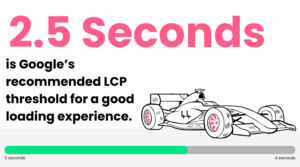
According to Google’s official guidance, websites should aim to load their largest visible content element within 2.5 seconds to meet its recommended good-performance threshold.
Slow-loading pages can be caused by several factors, including oversized images, unnecessary website features, excessive scripts and poor hosting performance.
How can you avoid this mistake?
- Compress large images without noticeably reducing their quality
- Remove unnecessary plugins and features that slow your website down
- Review your website hosting and technical performance
- Use tools such as Google PageSpeed Insights to identify areas for improvement
- Test important pages on mobile devices as well as desktops
A faster website creates a smoother experience for potential customers and supports your wider SEO efforts.
After all, there’s little benefit in attracting visitors to your website if they’re getting frustrated before it loads.
2. Confusing Navigation That Leaves Visitors Lost
Imagine walking into a shop where nothing is clearly labelled, the products are difficult to find and nobody can point you in the right direction. You probably wouldn’t stay for very long.
The same applies to your website.
If visitors can’t easily understand where to find your services, pricing information, case studies or contact details, they may simply look elsewhere.
One common mistake is trying to fit too much into a website’s navigation or using vague page names that don’t clearly explain what visitors will find.
For example, a menu labelled “Solutions” might sound professional, but does it help potential customers understand which services your business actually offers?
In many cases, clear and descriptive labels are far more useful.
How can you avoid this mistake?
- Keep your main navigation clear, simple and logically organised
- Use straightforward page names that reflect your services
- Make important information easy to reach
- Include relevant internal links to help visitors explore related content
- Ask someone unfamiliar with your business to find a particular service or contact page
The easier you make it for visitors to find what they need, the easier you make it for them to take the next step.
3. A Website That Looks Great on Desktop but Terrifying on Mobile
It’s easy to focus on how your website looks on a large computer screen, but have you checked what happens when somebody visits it on their phone?
A website might look fantastic on desktop, yet become difficult to use on a smaller screen. Text could be too small, buttons might be difficult to select and important information could be hidden behind awkward layouts.
This is particularly important when potential customers are researching businesses while travelling, attending meetings or simply browsing on their phones.
A mobile-friendly website should automatically adjust to different screen sizes without sacrificing functionality or making visitors work harder to find what they need.
How can you avoid this mistake?
- Use responsive website design that adapts to different device
- Make buttons, links and forms easy to use on touchscreens
- Ensure text is readable without zooming in
- Avoid layouts that require users to scroll sideways
- Test your website on a range of devices and screen sizes
It’s also worth reviewing the entire customer journey on mobile, not just your homepage.
Can somebody easily browse your services, complete an enquiry form or find your telephone number?
A good mobile experience should make all of these actions straightforward.
4. Unclear Messaging That Leaves Customers Guessing
Your website might explain that your business is innovative, passionate and committed to excellence.
But does it actually tell visitors what you do?
One of the most common website mistakes is relying on general marketing statements without clearly explaining your products, services or the problems you solve.
For example, a headline such as “Delivering Innovative Solutions for Tomorrow” might sound impressive, but it doesn’t tell a potential customer very much.
Compare that with:
“We provide commercial air conditioning installation and maintenance for businesses across the UK.”
The second example immediately explains what the business offers and who it helps.
This clarity matters for potential customers, but it can also support how search engines and AI-powered search tools understand your website.
How can you avoid this mistake?
- Clearly explain what your business does on your homepage
- Create dedicated pages for your main services
- Use language your customers will understand rather than unnecessary jargon
- Explain which industries or types of customers you work with
- Answer the questions potential customers commonly ask before making an enquiry
Clear, useful website content can help improve both traditional Search Engine Optimisation (SEO) and your visibility in AI-powered search experiences.
💡 Remember, visitors shouldn’t have to crawl through your entire website to understand whether your business can help them.
5. Missing Calls to Action That Leave Visitors at a Dead End
So, somebody has found your website, explored your services and decided your business might be a good fit.
What happens next?
If there’s no clear way to make an enquiry, request a quote or speak to your team, you could be missing a valuable opportunity. A call to action (CTA) is simply a prompt encouraging somebody to take the next step.
This might be a button saying “Request a Quote”, “Contact Our Team” or “Book a Consultation”.
One common mistake is including a contact link in the main menu and assuming that’s enough.
While having a dedicated contact page is important, relevant calls to action throughout your website can make it easier for potential customers to get in touch when they’re ready.
How can you avoid this mistake?
- Include clear calls to action on important service pages
- Make buttons easy to see and understand
- Use relevant wording that explains what happens next
- Keep contact forms straightforward and avoid asking for unnecessary information
- Check that all enquiry forms, links and buttons work properly
For example, a B2B company offering bespoke software development might benefit from a “Discuss Your Project” button on its service pages. This creates a more relevant next step than simply asking visitors to “Click Here”.
The aim isn’t to overwhelm visitors with buttons. It’s to make sure there’s always a clear next step when they’re ready to take one.
6. An Untrustworthy Website That Raises More Questions Than Answers
When somebody visits your website for the first time, they’re often trying to decide whether your business is credible and capable of delivering what they need. And if your website doesn’t provide enough reassurance, they may hesitate before getting in touch.
Outdated information, missing customer reviews, poor-quality imagery and a lack of examples of your work can all create uncertainty.
This can be especially important for B2B businesses, where choosing a new supplier may involve significant budgets or long-term working relationships.
Potential customers want evidence that you understand their requirements and have the experience to deliver.
How can you avoid this mistake?
- Include genuine customer testimonials and reviews
- Share case studies demonstrating your experience and results
- Keep company information, contact details and service pages up to date
- Highlight relevant certifications, accreditations and industry experience
- Use real, professional imagery and introduce the people behind your business
Rather than simply saying you deliver excellent results, show potential customers what you’ve achieved.
For example: a case study explaining how you’ve improved a customer’s website performance or streamlined an existing system can provide meaningful reassurance.
Trust is built through the details, and your website should give visitors plenty of reasons to feel confident about contacting you.
7. Overlooking Website Accessibility and User Experience
As we’ve explored in our previous blog on creating an accessible and inclusive user experience, making websites easier for everyone to use is an important part of effective UI/UX design.
One website mistake that can easily go unnoticed is making your content difficult for some people to access. Website accessibility means designing and developing your website so that people with different abilities and needs can use it effectively.
This could involve making text easier to read, ensuring forms have clear labels or allowing visitors to navigate using a keyboard.
Website accessibility issues are scarily common.
According to WebAIM’s 2026 accessibility report, 95.9% of the one million homepages tested had automatically detectable accessibility issues associated with established web accessibility standards.
The report also found that low-contrast text appeared on 83.9% of the homepages tested.
These findings highlight how easily accessibility can be overlooked, even on established websites.
For businesses, improving accessibility isn’t simply a technical exercise. It’s about creating a more inclusive and usable experience for potential customers.
How can you avoid this mistake?
- Use text colours that are easy to read against their backgrounds
- Include meaningful alternative text for informative images
- Ensure website forms have clear labels and instructions
- Make sure buttons and menus can be used with a keyboard
- Check that headings and page content follow a logical structure
When your website is easier for people to use, you’re reducing unnecessary barriers between potential customers and your business.
You can learn more about creating an accessible and inclusive user experience in our previous blog post here.
How Do You Know If Your Website Is Costing You Customers?
Not every website problem is immediately obvious.
Your website might look professional and receive a reasonable number of visitors, but that doesn’t necessarily mean it’s performing as effectively as it could. The key is to look beyond appearance and understand how people actually use it.
Start by asking yourself a few questions:
- Is your website generating consistent, relevant enquiries?
- Can visitors easily find your services and contact information?
- Does your website work properly across desktop and mobile devices?
- Are important pages loading quickly?
- Is your website content accurate, helpful and easy to understand?
- Do you know which pages visitors use before submitting an enquiry?
Tools such as Google Analytics, Google Search Console and PageSpeed Insights can provide useful information about website traffic, search visibility and performance.
However, data is only valuable if you use it to identify areas for improvement. Simplifying a contact form, improving a slow-loading page or making your service information clearer can help create a noticeably better experience.
Final Thoughts: Don’t Let Website Mistakes Haunt Your Business
Your website should be helping your business attract potential customers, build trust and generate enquiries, not making those things more difficult. While some website mistakes are more obvious than others, even small issues can influence how visitors experience your business.
The good news is that many of these problems can be identified and improved.
Whether it’s simplifying your navigation, improving loading speeds, updating your content or making it easier for people to contact you, the important thing is to look at your website from your customers’ perspective.
Because a successful website isn’t just about looking good. It’s about making it easy for the right people to find your business, understand what you offer and take action.
If your existing website needs improvements or you’re considering something new, our team can help you identify opportunities to improve performance, attract the right visitors and generate more enquiries.
Get in touch today to discuss how we can help your website work harder for your business.
